I confess to being a bit of a time geek, and part of that comes from my love of GPS. In broad strokes, the way that GPS works is that there are a whole bunch of satellites racing around the sky above our planet, each carrying a super accurate atomic clock, all synchronized. Essentially, what those satellites do is to broadcast their time and their ID “Hello! I’m Satellite Olivia, and at the tone, my time will be… 2026/11/26 17:14:48… BEEP!” Your GPS receiver (these days, often your phone) listens to as many of those satellites as it can, and from the small differences in reported time, and from knowing precisely where each satellite will be at any given time (known as the almanac), your device can triangulate your precise location on the planet, once it has the time from at least 4 satellites. If you hear from at least 3 satellites, you can get a 2-D fix, i.e. lat/lon but not altitude. It’s amazing!
But what people don’t often realize is that even with the signal from a single GPS satellite, you have access to a remarkably accurate clock! And it’s sad that so many devices that use GPS don’t take advantage of the incredibly accurate time they have in their hands (I’m looking at you, car head units!!) But of course, I do realize it, and do my best to take advantage of it. So I have a Raspberry Pi computer with a GPS module connected to it that receives that time signal and synchronizes the change of the second with the very precise “PPS” (Pulse Per Second) signal that the module offers. That signal gets you to within 10-30 nanoseconds of true UTC time. That Raspberry Pi acts as the “time server” in our home network, so any other device connected to the network has a very accurate local source of time, and they can set their clocks accordingly.
I have made a couple of hardware projects related to this recently. One is an inexpensive kit clock from AliExpress that I did a “brain transplant” on, following directions from a fellow time geek. That just sits in our middle room, idly displaying the very accurate time. The clock was a generic kit, designed to be expandable, so it had the ability to connect a temperature sensor, and display the temp with a degree sign. Since I didn’t care about displaying the temp, I use that extra LED as a signal that something is off with our time infrastructure, as the clock hasn’t been able to sync up with the time server for 15 minutes.
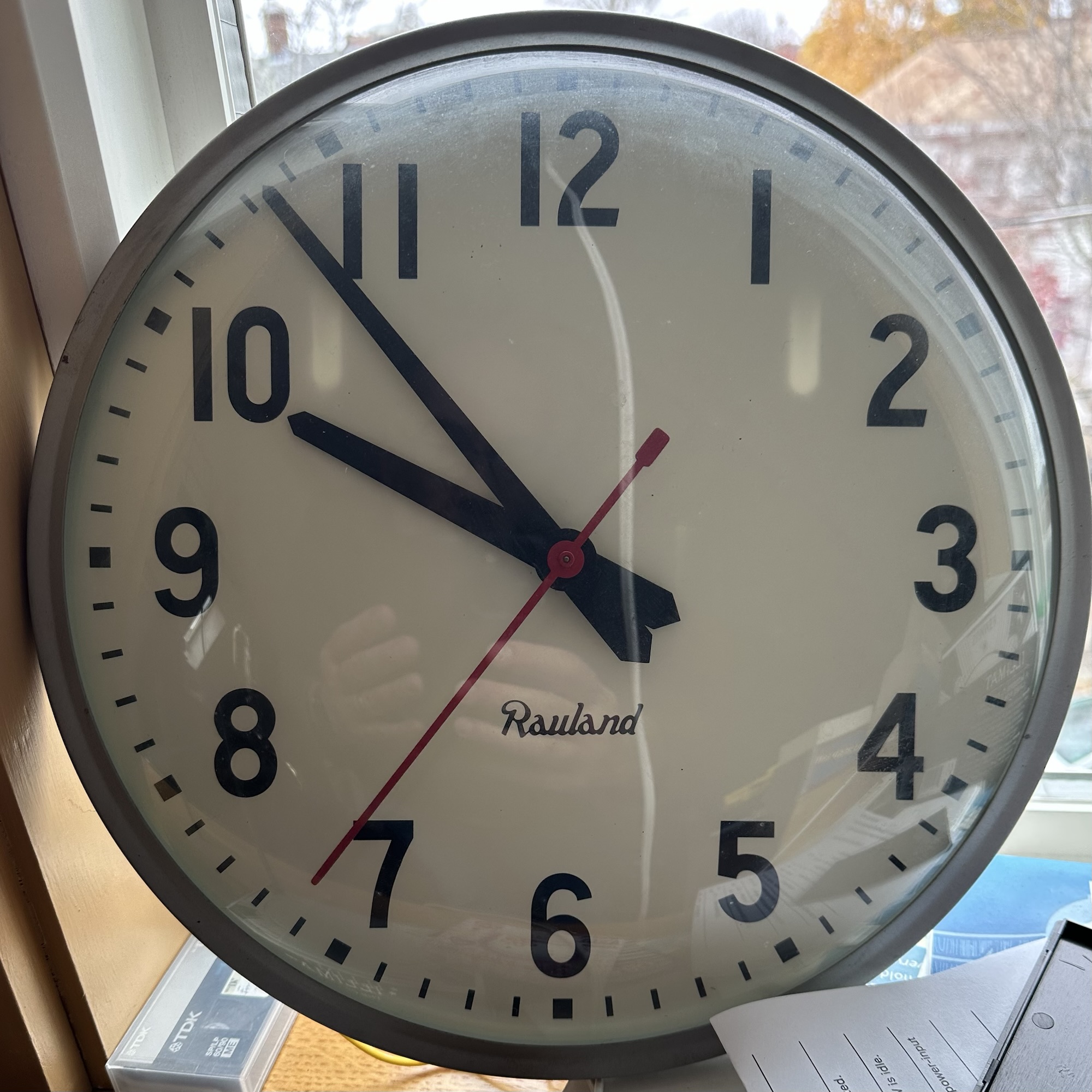
The other hardware project is the one pictured here, which is an old school clock that Susan brought home when they replaced the one in her room. The nifty feature of school clocks is that they are intended to be synchronized centrally by a Master Clock. At the top of each hour, the Master Clock sends a signal that causes the minute hand to move to 12. Oddly, the school never seemed to have that working, and even the replacement clock is never right. But I put together and programmed a little electronic module on the back of the clock that gets the time from our time server, and sends that signal at the top of the hour. The clock has a 60 Hz synchronous motor that runs at 24V, so we split that power off to the clock and to a power supply module that converts it to 5 VDC to power an ESP32 microcontroller. That microcontroller connects to our WiFi and when it gets its IP address via DHCP it also learns the address of the time server, and the local time zone data, including when the switchover to and from DST is. So it can periodically query the time server via the NTP protocol and get an accurate time. Then, at the top of each hour, it can turn on a relay that sends that 24 VAC to the clock’s reset circuit for 25 seconds, which causes the clock to “switch gears” where the minute hand moves in lock step with the second hand (i.e. 60x its normal speed) until it hits the 12, at which point, something mechanical occurs in the movement to switch it back to its normal rate.
For the DST switchovers, the clock needs to advance one hour (spring) or eleven hours (fall — the analog equivalent of going back one hour on a 12 hour clock). Some documentation suggests there’s a “daily reset” that should happen at 6:00 a.m. and 6:00 p.m. where the reset signal is asserted for either 24 minutes straight, or 24 cycles of 25 seconds on/35 seconds off. But this just seems to cause the clock to move ahead 12 hours. I kept expecting it to know to stop when the hour hand hit 6, but it just doesn’t seem to work that way. So I adapted this to to deal with the DST switchovers by moving ahead one or 11 hours.
It was a fun and interesting project. There’s probably on the order of $20 worth of hardware in there (maybe less — maybe closer to $10), but now you can actually purchase a WiFi connected analog clock from Amazon for about $40. That said, the project was never about the cheapest clock possible, but rather it was about reviving an old and cool clock.
Leave a Reply