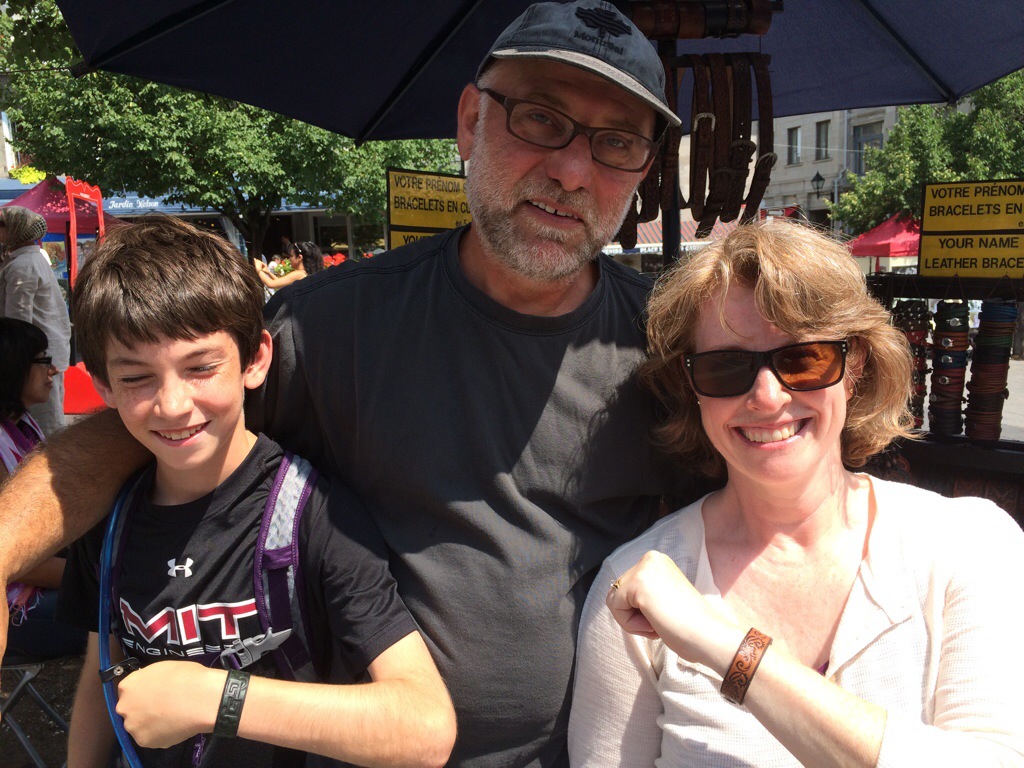
We have arrived safe and sound in Breckinridge. We have a lovely half of a duplex a little ways out if town. After unpacking the van, we drove back into town to find our favorite pastime, ice cream!
Blog
-
Celebrating Centennial
Taking a while to get into gear, but here we are in Centennial, CO, visiting Susan’s folks to celebrate her mom’s 80th birthday. We flew into town on Friday, via a very pleasant non-stop flight on Southwest with a comedienne for a flight attendant. Dusty picked us up in a van he rented far away from the airport, at a fraction of the cost it would have been there. It’s always a great time at the Rowells’ — they are the best of hosts, have a lovely home, and even have a pool in their development. It’s Monday now, and the kids have been to the pool every day. We’ve been working on divvying up cooking duties among the next generation, so Mom Rowell can better enjoy the time with family. Donna’s on duty for dinner tonight, and as her husband Ben couldn’t make the trip, she has adopted Emma as her cooking partner. They are cooking up some halibut that Donna caught in Port Angeles, WA, and brought with her (frozen). Susan’s sisters Donna and Nancy, and Nancy’s husband Craig are in town. Brother Mark, Mark’s wife Rosa, and Rosa’s sister-in-law Violet live nearby, and we will all be traveling to Breckenridge to share a home for 3 days and see the sights together.
I failed to bring a camera, but I can’t let that be an excuse, as the phone takes generally acceptable photos. Hopefully, I will post more regularly for the rest of the week, with photos.
-
Hilarity Ensues
Probably some background would be helpful to appreciate this, but, well, just watch…
http://whatever.scalzi.com/2012/06/11/mark-reads-shadow-war-of-the-night-dragons/
-
Unfortunately, this CharlieCard isn’t valid for usage with in the system
The MBTA has for years now had available a “stored value” type of card for subway, buses, commuter rail, etc. All very neat. You can go to a vending machine at subway stations and refill the card with cash or use a debit or credit card. It’s even possible to refill them on the bus, but I always get flustered trying to do it, and the drivers are often impatient about it. More recently, they’ve added a web-based system for refilling your card, which sounds pretty handy. But I’ve tried many times to enroll my ancient CharlieCard, only to get an error back. I assume it was because it was too old, and pre-dated when the started allowing access via the web.
Yesterday, I was on the bus and ran out of money on the card, so I went to refill it. I was asking the bus driver “What do I do next?” but he wasn’t really answering me. I failed to follow the correct sequence, and ended up with a paper ticket with $5 on it, minus the cost of the bus fare. Argh! When we got to Harvard, I picked up a *new* CharlieCard, so I’d be able to enroll it in their system. When we got home, I did try to enroll the card only to get the same error message back. Sheesh!
I emailed the support email address listed on the site, holding out little hope that I’d actually receive an intelligent answer. But less than 10 minutes later, I did get a response: “Unfortunately you would have to grab another card at the station. This error is due to a glitch in the MBTA’s system, and there’s no way to tell in advance which cards are compatible with the online system and which ones are not. I apologize for the inconvenience. Thank You”
So, kudos to the MTBA (or their partner) for providing an “answer” so quickly! Generally, at best I’d expect a response about a day later, telling me that the company had received my inquiry, and telling me how important I am to them, etc., etc. And then I may or may not hear back in a reasonable timeframe. However, the MBTA (and/or their partner) get a failing grade for the content of the response.
Guess I will be picking up a stack of cards next time…
-
Winter Hobbies
During the good weather, I enjoy riding my bike a bit with my free time, but in the winter I am often de-motivated. That makes it a good time to focus on one of my other hobbies: electronics. I had a pretty fruitful weekend (so far!) on the electronics front. For Christmas, I had bought Tyler a “Game of Life” kit. This isn’t the board game you are likely thinking of, but rather a one (or zero, depending on how you look at it!) player computer simulation of a colony of organisms. A grid of cells is represented by LEDs, and their death or birth is dependent on the level of crowding in their neighborhood. Tyler did a great job soldering the kit together, I think we counted over 100 connections had to be soldered! Certainly, the most challenging project he’s put together thus far.
Trouble is, although you can connect multiple boards together (very clever!), they do cost $$ and a single board ends up with very fleeting generations. I thought to myself, “Well, since this is a board with a software programmed micro-controller, I ought to be able to change the delay between generations!
That idea ended up causing me a lot of work (and/or expense…). First, I had to build the AVR programmer kit that I’d bought previously, figure out how to install a driver for it (on my Win64 system), install all the AVR dev tools, solder a programming header on the board, figure out just enough to be dangerous, mod the code, and upload the new firmware.
Happily, this all worked pretty well! Except for the final step. It should be obvious, but I can’t figure out where the delay between generations comes from, ultimately. But, in preparation, I did all the rest of the above, along with re-building the current firmware, and just reloading that.
I’ve posted a question or two in the Adafruit forums on where the delay might be coming from, so hopefully someone will help me out there.
-
Sign Switcher
For our church pageant, we retold the Christmas story in the guise of a Christmas Trivia game show. There was going to be a person responsible for holding up signs like “Applause!” etc. but I thought to myself, “I have some scrolling LED signs. I bet with a little effort, I can build/program a device to let someone select from a list of pre-defined messages.” And it turns out, I was right! Pictured below is a slightly updated version of the device. It now has a (lighted) power switch, to save battery, and the Display on/off switch has been upgraded from a bat handle toggle to a nice rocker. Oh, and I changed the messages to some that could be used in a sermonโฆ
So intuitive, even a (very bright) dog can use it ๐
-
Brrrrrrrr!
I planned to ride in to work today when the forecast called for overnight lows in the upper 30’s. I headed out at about 5:30 this morning, outfitted in tights, a semi-thermal jersey, wool socks, and hopefully warm gloves. Both the gloves and the jersey were new and untried. I was envisioning maybe it would even be low 40’s. Unfortunately, I forgot to actually check the temperature so I can’t say what it was for sure, but it was noticeably chillier than I expected. Susan thought the thermometer might have read 32; my mom thought perhaps 31; the official recorded temp at Bedford was 27. And I was headed west, into what is generally a colder area.
I was more than halfway through before I started to be uncomfortable, though. Hands and feet got cold, and my thighs and belly began to take on that “cold meat” feeling. My the time I got in, my hands were close to numb, but I honestly think they did better with the new gloves than they did last week in another pair of gloves on a significantly warmer (low to mid 40’s) morning commute.
Some signs that it was cold: when I went to squeeze out some shampoo in the shower, it wouldn’t come out because it was thick as sludge; while the water directly from the shower was nice and warm, any water that actually ran down my body was cold by the time it got to my feet! Putting on the clothes from my pannier was reminiscent of getting dressed on a winter camping trip if I forgot to sleep with tomorrow’s clothes in my sleeping bag.
Anyway, the experience taught me that it is possible, though I wouldn’t want to do it in any colder weather.
-
Hell Toupee
There were still patches of snow on the ground from the weekend’s Ocsnowber Nor’easter, but it was a nice night for trick-or-treating, at about 45 degrees. I had our light on from 6-9 but still only served 10 kids, and 6 of them were in one group! I do my best to be a welcoming house: porch light on, jack-o-lantern out, and I always play some “appropriate” music, but very few kids come through our neighborhood for some reason. My “All Hallows Eve” playlist includes:
Bad Moon Rising — CCR
Bela Lugosi’s Dead — Bauhaus
Black Magic Woman — Santana
Bright Yellow Gun — Throwing Muses
Burnin’ For You — Blue Oyster Cult
Culling of the Fold — Decemberists
Don’t Fear the Reaper — Blue Oyster Cult
Everyday is Halloween — Ministry
Gallows Pole — Led Zeppelin
Hell — Squirrel Nut Zippers
Highway to Hell — AC/DC
Institutionalized — Suicidal Tendencies
The Mariner’s Revenge Song — Decemberists
Monster Mash — Bobby Pickett
Monsters in the Bathroom — Bill Harley
One Halloween Night — SteveSongs
People Who Died — Jim Carroll
Prince Nez — Squirrel Nut Zippers
Psycho Killer — Talking Heads
Run Like Hell — Pink Floyd
Shankill Butchers — Decemberists
Werewolf — SteveSongs
Werewolves of London — Warren Zevon
Zombie — CranberriesIn the afterlife
You could be headed for the serious strife
Now you make the scene all day
But tomorrow there’ll be Hell to pay
–Squirrel Nut Zippers, Hell -
Virtually Impossible
I received a new laptop at work, which is always a treat, but also always a pain trying to get the necessary programs and data migrated from the old one to the new one. My usual crutch is to create a “virtual” copy of the old laptop to run on the new one for the transition period. I end up using the virtual copy less and less as time goes on. Then eventually, I run short on space on the “new” laptop and have to delete the old copy.
I’ve done this through my 2 most recent laptop transitions, and also used the same technique when we got Susan a MacBook to replace an old Dell laptop. The biggest problem I’d had to date was a licensing issue with Susan’s — the Windows license on it was an OEM license, and when going to authorize it, it wouldn’t take my semi-legitimate MSDN license. I finally wore someone down on the phone until they let the registration go through.
With this laptop, though, I’ve had nothing but trouble. And it has nothing to do with the new hardware, AFAIK. I started with my favorite Virtualization engine, VMware. They offer a free “Player” application and also a free “P2V” application for taking a Physical computer and creating a Virtual copy of it. Even getting the P2V process going was challenging, though, as it required software running on both systems, and dealing with Windows permissions, with the old laptop being a member of the work domain, and the new one not yet. And then copying 62 GB over the wireless network wasn’t going very quickly, so I cancelled the process then connected the two systems to the wired network. At that point, name resolution stopped working in one direction, making other things that much more difficult. The process, once I was able to get it started, did go much quicker over the wired network, though. Starting up the newly created VM in Player, though, did not go well. It started with a BSoD related to some supposedly missing file. A little web searching led me to running a “repair” from the install disc, which got me to the next error, which was a different BSoD. That one seemed to have to do with the VM being configured with one kind of storage, and the installed system expecting another kind. You might think the P2V process would manage all of this appropriately, or at least I would, but you’d be wrong, or at least I was wrong. Anyway, after many fruitless hours of web searches, regedits from the repair console, extracting VMware disk metadata from the virtual disk file, modifying it, and re-inserting it, I gave up. I’ve never had such a miserable experience with VMware.
On to Microsoft. Sure to be a slam dunk. Well, the new version of Virtual PC is weird, and is implemented as some shell extensions so it doesn’t even really look like an app. I first tried an application that converts virtual disks from one format to another. I can’t really remember the failure mode of that attempt, but the VM wouldn’t boot. I was willing to accept this, given the heritage of the virtual disk file, and the myriad of changes I’d made to it since first making the image. I then moved on to creating a virtual disk with a Microsoft (sysinternals) tool. I figured I’d try a “simpler” wired network this time, with both nodes on a small hub, but the throughput was terrible. I then remembered that it really was a hub, and not a switch, and I disconnected the other system I had plugged in there, and disconnected the internet connection, and then things really moved along quickly. When I came back a few hours later, though, the app complained that the network connection was lost. Didn’t look it to me, but what do I know. I re-configured the two computers’ network interfaces to have static IP addresses, and I addressed the shared folder for storing the newly created virtual disk with the IP address of the target instead of its name. But that new copy ended up having an even weirder failure mode. The VM would begin to boot, but then simply power down. No BSoD, no error message, no nothing. I did some searching but my GoogleFu failed me, and I could find no similar reports.
At this point I was feeling pretty beat up, but in doing some research on the VHD file format (Microsoft’s virtual disk format), I read that VirtualBox also supported it. So I figured, what the heck. Since it doesn’t require making a new virtual disk, but was just a quick download, the cost to try was low. But of course that failed to boot as well — just gave me a blank screen. However, I was able to go into the settings and figure out by myself some changes to try (mainly the bus on which the virtual disk was configured), and was able to get the VM to boot. It certainly took a lot of doing to get to that point. Even so, the story doesn’t end there. The VM would boot OK, but I couldn’t access the network. The error in Device Manager was that not enough resources were available for the device. And there were a handful of devices in that state, not just the network interface. I tried deleting old hardware drivers, etc., but never got those errors to go away. Some internet research later, I learned that installing their “Guest Additions” solved many errors. So I did this, but still no luck. Some more searching (my GoogleFu had returned!) later, I came across someone who had the same problem, and his solution was to change the PCI bus driver. I did this, and voila! All was well.
All in all, it was a surprisingly miserable experience to get to this point. But thank you, Virtual Box, for coming through in the end!